

【Android Studio 2.2.3】 Hallo wold でいきなりError:(23, 17) Failed to resolve: junit:junit:4.12
Hallo wold でいきなりこける
勘弁してください。。。。
表題のError:(23, 17) Failed to resolve: junit:junit:4.12
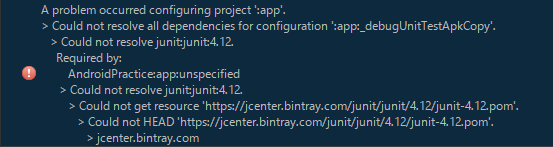
Error:
A problem occurred configuring project ':app'.
> Could not resolve all dependencies for configuration ':app:_debugUnitTestApkCopy'.
  > Could not resolve junit:junit:4.12.
    Required by:
      AndroidPractice:app:unspecified
     > Could not resolve junit:junit:4.12.
      > Could not get resource 'https://jcenter.bintray.com/junit/junit/4.12/junit-4.12.pom'.
        > Could not HEAD 'https://jcenter.bintray.com/junit/junit/4.12/junit-4.12.pom'.
          > jcenter.bintray.com
ネットで探し回るも「JUnitの参照先repositorieとしてをurlで記載してあげなさい」
みたいな修正方法が英語でワンサカ出て来る。
しかし施すも解決せず。やはりJUnitで怒られる。
いつものように沼っているとどうやらJUnitではなくて
jcenterの参照がうまく行っていない様子(??)
(DependencesからJUnit消すとjcenterで怒られるし)
ってことでJcenter参照をHTTPで引っ張ってこいとすると動きました。下記覚書に。
修正するファイルはbuild.grable(project.xxxx) ※2018.11.15追記
元々はこれ↓
————————————————————————————————————–
// Top-level build file where you can add configuration options common to all sub-projects/modules.
buildscript {
    repositories {
        jcenter()
    }
    dependencies {
        classpath 'com.android.tools.build:gradle:1.2.3'
    }
}
allprojects {
    repositories {
        jcenter()
   }
}
————————————————————————————————–
下記のように変更することで解決しました。
————————————————————————————————–
// Top-level build file where you can add configuration options common to all sub-projects/modules.
buildscript {
    repositories {
        jcenter { url "http://jcenter.bintray.com" }
    }
    dependencies {
        classpath 'com.android.tools.build:gradle:1.2.3'
        }
}
allprojects {
    repositories {
        jcenter { url "http://jcenter.bintray.com" }
    }
}